GuidesOnline invitations
Online Invitations with RSVP: What Matters Besides the Template
Online invitations with RSVP should make answering quick for guests and planning easy for you. The template is only one piece.
By Hejmo7 min read
Short answer
- Mobile replies
- Guests answer fast from their phone.
- Privacy
- Invite-only events get private links, not one public page.
- Guest accounts
- Guests shouldn't need one just to reply.
- Chat preview
- The link looks like an invitation, not a bare URL.
- Family replies
- One person answers for the whole family, and the count shows people.
Feature checklist for online invitations with RSVP
What matters is what happens after guests start answering. Most tools can show a date, time, and RSVP button; a reliable one keeps replies short and the host view organized.
- Mobile-first invite page with date, time, location, and host note.
- Yes, No, and Maybe responses that are easy to change.
- Live count of people, not just reply rows.
- Private links or guest-specific access for invite-only events.
- Optional notes for allergies, timing, or plus-one questions.
- A chat preview that looks like an invitation, not a bare URL.
Guest friction is the hidden cost
A beautiful invitation still fails if guests put off replying. Every app download, account, phone verification step, or confusing field is a reason to answer later.
For casual events, that delay means follow-up texts. For family events, it means fuzzy counts: one parent replies yes, and nobody knows if that's one child, two siblings, or a parent too.
- Ask only for the information you need to plan.
- Avoid account requirements unless the event truly needs them.
- Make the response button visible without scrolling.
- Let one person answer for a family or group when that matches real attendance.
The four types of RSVP invitation tools
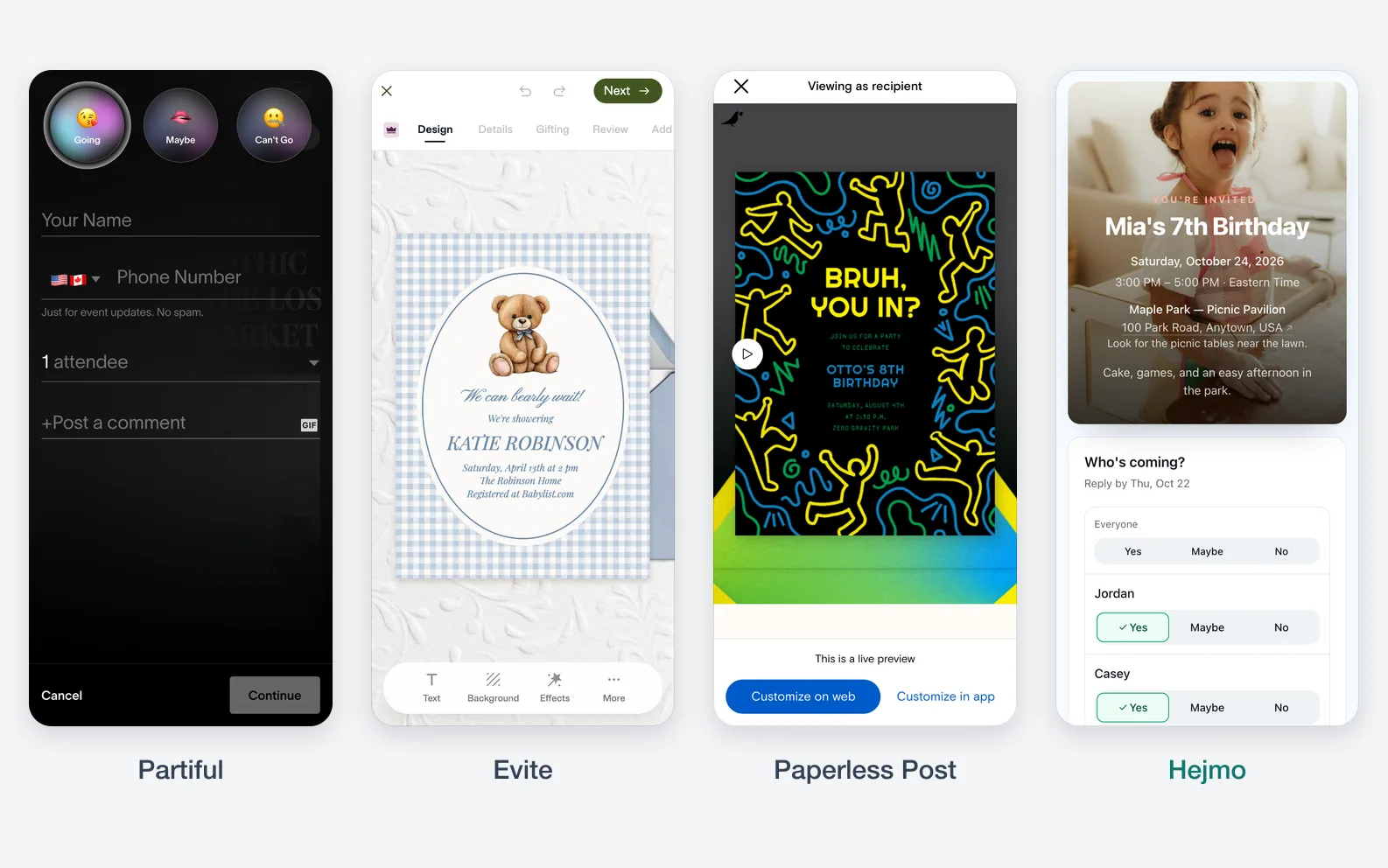
The right tool depends on the event. Partiful, Evite, Paperless Post, and Hejmo overlap, but each is built around a different priority.
- Social invite tools: best when guest activity, broad sharing, and momentum matter.
- Familiar email-style invite tools: best when guests expect a classic online invitation and reminders.
- Design-first invitation tools: best when the invitation should look like stationery.
- Private RSVP websites: best when the guest list is known and headcount accuracy matters more than public buzz.
Don't start with templates alone
Templates help the invite look good. They don't automatically solve guest privacy, family replies, or the final count you need for food, seating, and supplies.
Privacy and group replies
Private gatherings need private links; one shareable link suits open events. For invite-only events, each guest or family should see only their own invitation.
Per-family links let one person answer for the people who belong together. That's why they work well for kids' birthdays, reunions, school events, and dinners.

- Use public links for public or open registration.
- Use private links for invite-only gatherings.
- Use family or group replies when one guest naturally answers for multiple people.
- Replace a private link if it's forwarded too widely.
How to choose the right tool
Pick what matters most for this event, then choose the tool built for it. For head-to-heads, see Partiful vs Evite and Partiful vs Paperless Post.
What matters most for your event?
Buzz and easy sharing
Casual invites that spread when friends share the link.
Choose Partiful
A familiar online invitation
Classic templates and reminders guests already know.
Choose Evite
Stationery-style design
Formal events where the card sets the tone.
Choose Paperless Post
Headcounts by family
Each family answers for its own people, and you see the total.
Choose Hejmo
Sources checked (4)Official help and pricing pages, read before writing.
- Partiful homepage · Checked Partiful positioning around free online invitations, RSVP tracking, sharing, text blasts, and reminders.
- Evite homepage · Checked Evite positioning around online invitations, RSVP tracking, reminders, and guest messaging.
- Paperless Post homepage · Checked Paperless Post positioning around invitation design, RSVP tracking, reminders, and ad-free invites.
- Paperless Post tracking statuses · Checked how tracking statuses are described for invitations that collect RSVPs.
Questions
What are online invitations with RSVP?
They're digital invitation pages that let guests see event details and answer whether they're coming, usually from a phone or computer.
What should online invitations with RSVP include?
Include the event name, date, time, location, host note, RSVP deadline, response buttons, and any note fields needed for allergies or guest-count details.
Can guests RSVP without an account?
With Hejmo, yes. Guests open their private invite link and answer in two taps, with no account, app, or phone verification.
What is the best online invitation tool for family RSVPs?
Use a tool that lets one person answer for the whole family and counts people, not replies. Hejmo is built for that: one private link per family and a live headcount.
Send online invitations with private RSVPs
Create your event, send each family its own private link, and watch the headcount fill in as guests reply.
Free · No ads · No guest accounts