GuidesRSVP tools
Google Forms RSVP: Template, Setup Steps, and When to Use an RSVP Website
A good Google Forms RSVP template is five short fields. The gaps show up when you need a real invitation page, replies from whole families, and a headcount you can trust.
By Hejmo10 min read
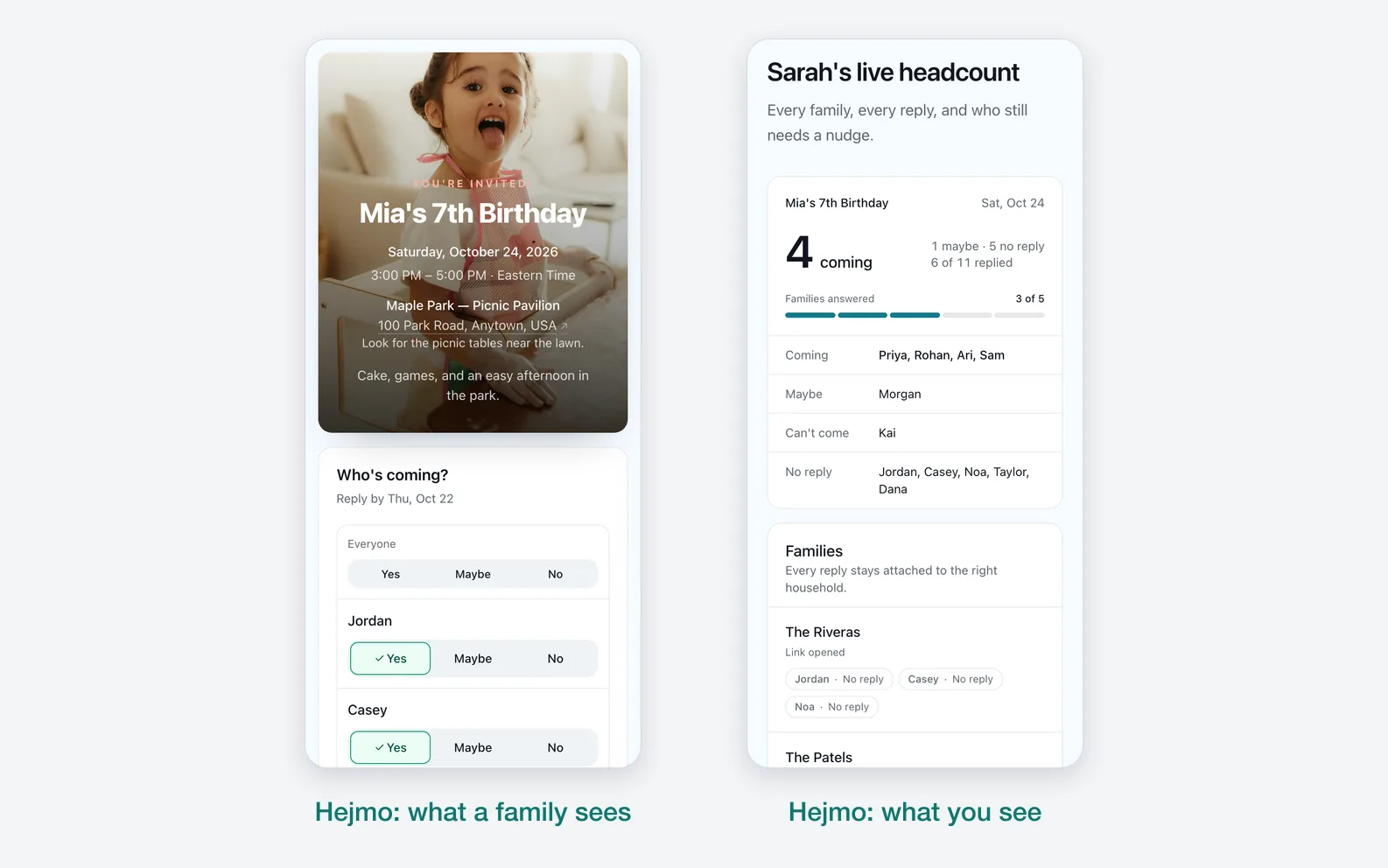
Short answer
- Google Forms
- Simple events: name, attending, how many, a note, and contact info.
- Hejmo
- Headcounts by family: a private link per family and a live count.
Need more than a form?
- A private link for each family
- Guests reply in two taps, no account
- A live count of who's coming
Free for unlimited events. Plus is $12 per event.
Google Forms vs an RSVP website at a glance
Google Forms is good at collecting flexible answers. A purpose-built RSVP website earns its keep when the invitation, the families, and the final headcount need to stay connected.
| Compare | Google Forms | Hejmo RSVP website |
|---|---|---|
| Best for | Surveys, potlucks, volunteer signups, and flexible question sets. | Birthdays, reunions, dinners, and school events where people attend in groups. |
| Setup | Build fields, response rules, and a results view yourself. | Create the event, add families or groups, and send their private links. |
| Guest experience | Open a general-purpose form and enter the requested details. | Open a private invitation and reply for named people without an account or phone verification. |
| Host result | Response rows in Forms or a linked spreadsheet that may need interpretation. | A live headcount of people, with Yes, No, Maybe, and No reply at a glance. |
| Price | No added cost for a standard personal Google Form. | Free for unlimited events. Plus is optional: $12 for one event, paid once, adds invitation styles, illustrated covers or your own cover photo, a custom link, a custom RSVP confirmation, and up to five RSVP questions. |
When Google Forms works well for RSVPs
Google Forms handles small, simple RSVPs for free. You send the link and watch results arrive in real time, in Forms or a linked Google Sheet.
It fits when you're inviting a small group, don't need an invitation page, and only want a basic count. Good fits:
- A small meeting or potluck where every responder is one person.
- A school volunteer signup where the questions matter more than the invitation.
- A work or club event where a spreadsheet is a good enough place to track replies.
- A host who already knows Google Forms and wants full control over the questions.
Google Forms RSVP template: fields to use and what to skip
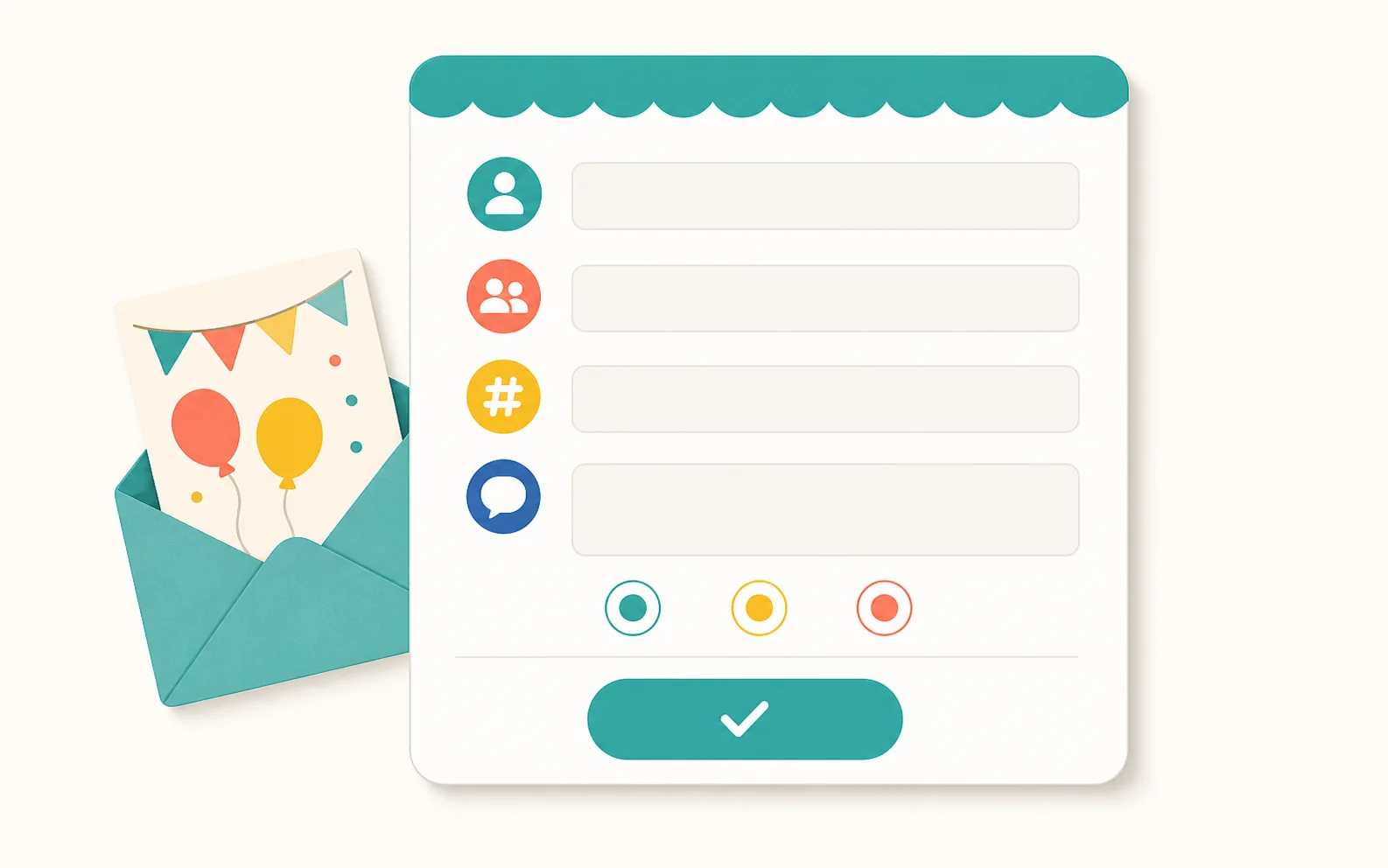
The whole template is five short fields, because more fields usually mean fewer replies. Put the event name, date, and RSVP deadline in the form title or description, plus one line on what guests are answering for.
Copy the five fields below in order, then leave out the items listed after them.
- Name — short answer.
- Can you attend? — multiple choice: Yes, No, Maybe.
- How many people does this RSVP include? — number or dropdown.
- Any notes, allergies, or timing details? — optional paragraph.
- Email or phone — optional, and only if you need another way to follow up.
- Skip required questions beyond name and attendance. Every extra required field is another reason to put the form off.
- Skip contact fields when you already have another way to reach the guest.
- Skip a separate name field for every family member. One count field covers the whole reply.
Don't turn an RSVP into a survey
If a question doesn't change food, space, timing, safety, or follow-up, leave it out of the form.
How to set up an RSVP in Google Forms
Go to forms.google.com, start a blank form or pick one from the Template Gallery, and add the template fields. Build it once, then duplicate it for each event.
Check the sharing and response settings before you send the link. The wrong one can block guests or leave you with replies that are hard to read.
- Add the event name, date, RSVP deadline, and a one-line description at the top.
- Add the five template fields above, and make only name and attendance required.
- Write a confirmation message that tells guests what happens next.
- Check that the form doesn't require sign-in unless the event really needs it.
- Turn on response collection and share the link by text, email, or chat.
- Review replies in the Responses tab, or link them to a Google Sheet for a spreadsheet view.
- Close responses after your RSVP deadline if late replies would throw off planning.
Common Google Forms RSVP mistakes
The most common mistake is expecting one name and one status to stand for a whole family. A parent writes 'yes,' and you still don't know how many kids are coming.
The second is treating Maybe as final. A Maybe helps only if you follow up before the food, venue, or supply decision is due.
Other common gaps:
- No field for how many people the response covers.
- No way to collect allergy or sibling notes.
- Too many required questions.
- No RSVP deadline in the form title or description.
- No plan for duplicate responses or changed answers.
How to read the response spreadsheet
A Google Forms RSVP spreadsheet isn't a guest-list dashboard. You still have to translate rows into people.
Before you trust the count, scan for duplicate names, unclear family counts, Maybe responses, and notes that affect attendance.

- Confirm each row maps to one guest, one family, or one group.
- Separate yes, no, maybe, and unanswered.
- Make a follow-up list for missing or unclear counts.
- Keep notes attached to the right person or family.
Where Google Forms starts to break down
Google Forms doesn't know what a guest list is. Collecting rows is easy; turning them into a plan you trust is harder.
The gap shows up when families attend together. If one parent says yes, is that one adult, both parents, two kids, or a sibling too?
You can add a question for that, but you still interpret each answer and keep the guest list in sync by hand.
- No built-in invitation page that keeps event details, a chat preview, a Google Maps link, calendar buttons, and the response flow in one place.
- No per-family link that opens only that family's guests.
- No host view built around Yes, No, Maybe, No reply, and the total headcount.
- No per-family privacy that shows each family only its own names.
- No guest list, households, or co-hosts built for events, so planning with someone else means more manual cleanup.
What an RSVP website does differently
An RSVP website starts from the event, so you see a guest list instead of a survey export. Guests open one link, see the invitation, and answer right there.
Hejmo gives each family or group its own private link that already lists its people. One person answers for everyone, and nobody converts form rows back into people.

- The invitation page and the RSVP live on one link.
- Each family or group gets its own private link.
- Guests reply Yes, No, or Maybe with no account and no phone verification.
- Guests get a confirmation with the time, place, and directions.
- Replies roll up into a live headcount automatically.
- Notes stay attached to the right family or group.
Use Google Forms or an RSVP website?
A Google Form is fine when the event is simple and you're happy to manage the spreadsheet. For birthdays, family reunions, and school events where people come in groups, pick what this event needs most.
What does this event need most?
Quick answers in a spreadsheet
Surveys, potluck questions, or internal signups.
Choose Google Forms
Headcounts by family
Each family gets a private link, answers without an account, and the count adds itself up.
Choose Hejmo
Sources checked (7)Official help and pricing pages, read before writing.
- Google Forms product page · Verified Google Forms positioning around custom forms, responses from any device, and real-time response data.
- Create a form in Google Forms · Verified the basic steps: go to forms.google.com, start a blank form, and name it.
- Google Forms response help · Verified that creators can view responses in Forms and manage response collection.
- Google Forms publish and share help · Verified sharing, response editing, response summaries, and confirmation-message options.
- Google Forms template help · Verified that Google Forms provides a template gallery.
- Create a form with Gemini · Verified that eligible plans can generate an RSVP form from a prompt in Google Forms.
- Google Search structured data guidelines · Used to keep structured data claims precise: schema can help eligibility, but it does not guarantee rich results.
Questions
Can you use Google Forms for RSVPs?
Yes. Google Forms collects RSVP-style responses and shows them in Forms or a linked Google Sheet. It suits simple events, but you turn the rows into guests and a headcount yourself.
What is an RSVP in Google Forms?
It's a regular Google Form that asks guests whether they're coming, usually with name, attendance, and headcount questions. Replies land in the form's Responses tab or a linked Google Sheet.
What should a Google Forms RSVP template include?
Five fields: name, attending (Yes, No, Maybe), how many people the reply covers, an optional note for allergies or timing, and contact info only if needed. Put the date and RSVP deadline in the form description.
Is there a Google Forms RSVP template?
Yes: the five-field list above works as one. Build it once and duplicate it for each event. Eligible Google Workspace or Google AI plans can also ask Gemini in Forms to generate one, and Google's template gallery varies by account.
What is the best Google Forms RSVP alternative?
A purpose-built RSVP website. Use one when you want an invitation page, private per-family links, group responses, a live headcount, and no guest accounts.
Does Hejmo replace Google Forms for RSVPs?
For event RSVPs, yes. Keep Google Forms for flexible surveys and signups, and use Hejmo for the invitation, private RSVP links, and a live headcount.
Need more than a form?
Send each family its own private RSVP link and watch the headcount update live. Guests answer free, without an account or phone number.
Free · No ads · No guest accounts