GuidesRSVP websites
Free RSVP Website: What to Look For Before You Send the Link
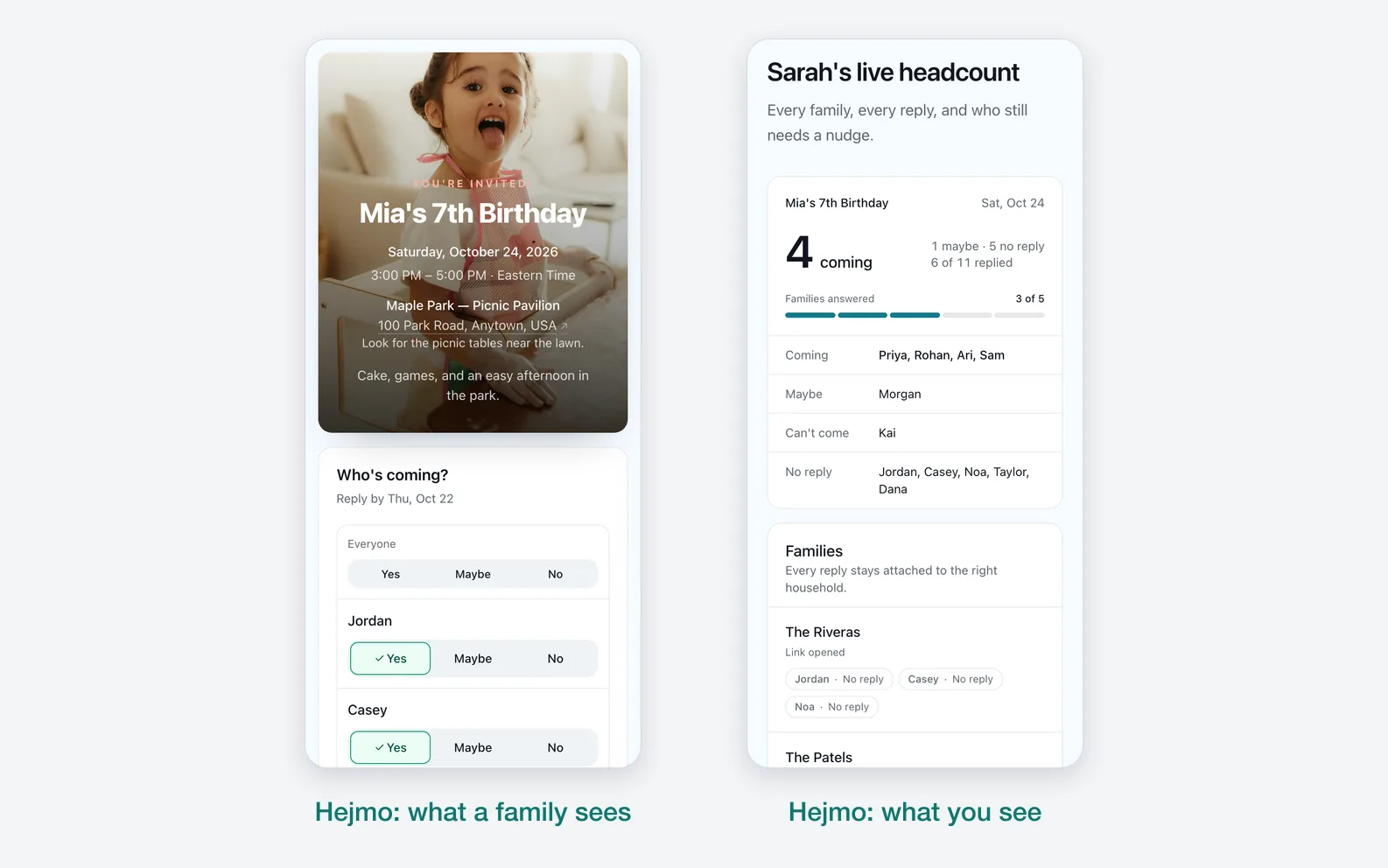
A free RSVP website should do more than collect names. It should carry the invitation, make the reply obvious on mobile, and give the host a count they can trust.
By Hejmo7 min read
Short answer
- Guests
- One mobile-friendly page to read the invitation and reply.
- Replies
- Yes, No, and Maybe, with optional notes.
- Sharing
- A clear chat preview, and private links for a known guest list.
- You
- A live headcount, without spreadsheet cleanup.
What a free RSVP website should do
The job: show the event clearly, collect replies quickly, and make your next step obvious. A pretty page that still leaves you decoding texts hasn't solved the RSVP problem.
For private parties, privacy matters as much as the design. A single shared link is convenient for a group chat, but a private link for each family or group keeps every reply attached to the right people.
- A mobile-friendly event page with the date, time, place, and a note from the host.
- Fast Yes, No, and Maybe replies.
- A live headcount that counts people, not vague replies.
- Optional notes for allergies, timing, or questions.
- A recognizable chat preview when the link lands in a text or group chat.
- Private invite links when the guest list is known.
Free vs paid: what usually changes
Free RSVP tools usually cover the core workflow: create an event, share a link, and collect responses. Paid upgrades often add design options, ad removal, custom links, premium templates, ticketing, or deeper tracking.
Before paying, ask whether the missing feature changes how the event goes. A cover photo is nice. A clear headcount is essential.
- Worth paying for: custom branding, cover photos, ad removal, custom links, or ticketing when those are central to the event.
- Not worth overpaying for: complex registration features when you only need 10 families to answer.
- Always check: whether guests need accounts, whether the free invite shows ads, and whether an RSVP deadline is included.
How to set up a free RSVP website
Keep setup tight. Guests shouldn't feel like they're entering a registration system for a simple party.
- Create the event with its title, date, time, location, and a short note from you.
- Add guests as individuals, families, or groups, depending on how people attend.
- Decide whether to post one shared link, give each family a private link, or use both.
- Share the links where guests already talk: text, email, WhatsApp, or a group chat.
- Check the live headcount and follow up only with guests who haven't answered.
Use one link per family when accuracy matters
A private link can open directly to the right family or group. That removes the common mistake where a guest replies for the wrong people or forgets to count a child.
Why link previews matter
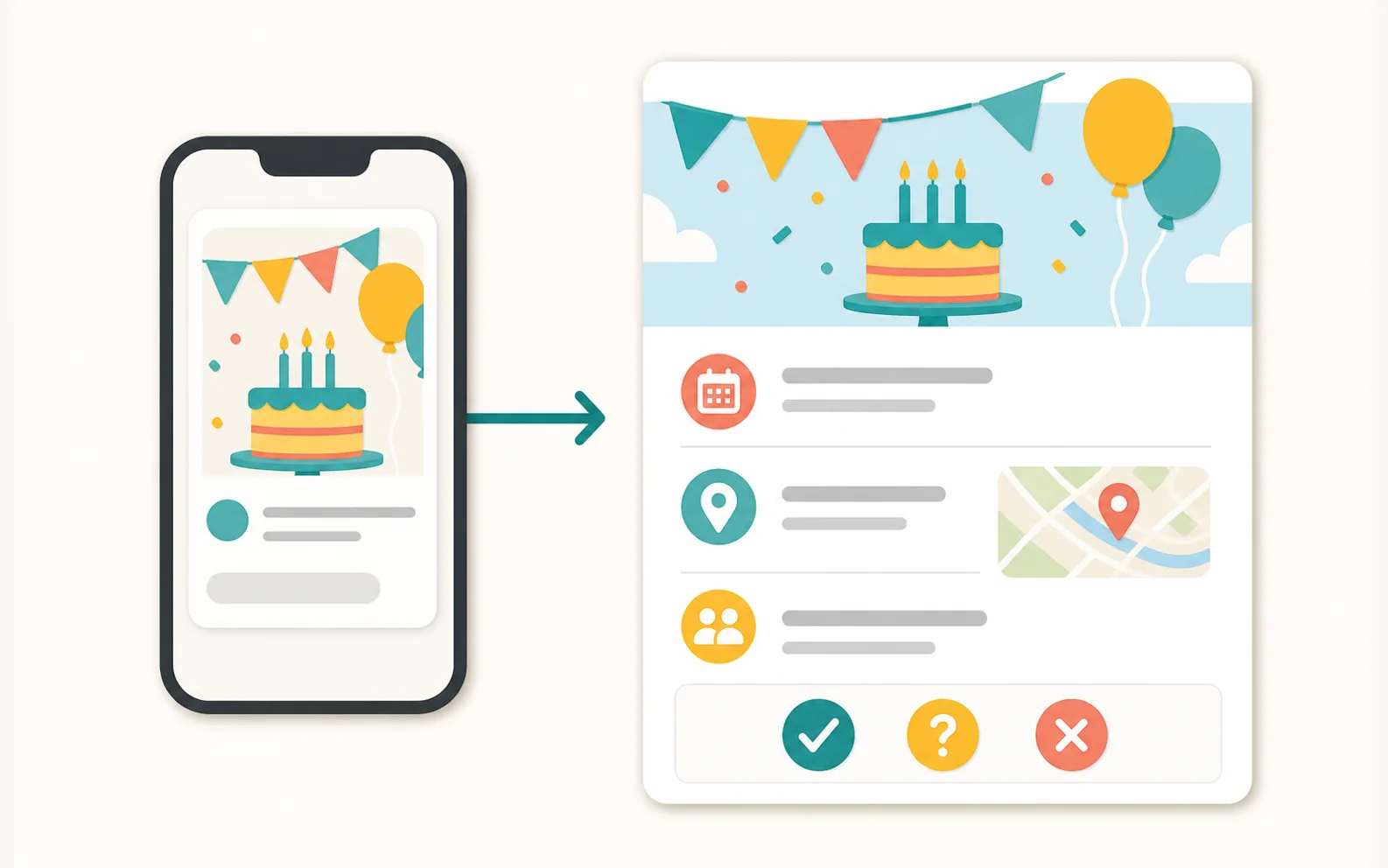
A bare URL is easy to ignore; a recognizable event preview earns the tap. The RSVP page still carries the details and the response buttons.
When you paste a URL into a message, many apps build the preview from the page's metadata. Open Graph defines fields like title, image, type, and URL, and Apple's Link Presentation framework describes how rich URL metadata appears in Apple apps.
- Use a clear event title.
- Use a preview image that matches the event.
- Keep the description short and useful.
- Don't change the link after sharing unless the old one keeps working.
What about search results?
Search engines use similar structured details. Describing a public event with standard fields like name, date, and location (the vocabulary behind Google's event guidelines and Schema.org's Event type) helps them understand the page, but it won't guarantee a rich search result. For a private party, a clear page and a clean preview matter far more.
When Hejmo is the free RSVP website to use
Hejmo is strongest when the event is private and guests attend as families or small groups. Create the event, add families or groups, and share each private RSVP link where you already talk to them.
Guests answer in two taps without an account, app, or phone verification. You get a live count of actual people, plus a ready-to-send nudge for anyone who hasn't replied.
- Kids' birthdays where parents answer for children.
- Family reunions where households need one clean reply.
- School events, dinners, and private gatherings with a known list.
- Any event where a single shared link would make the headcount less accurate.
Sources checked (4)Official help and pricing pages, read before writing.
- Open Graph protocol · Verified the basic metadata fields commonly used for rich link previews.
- Apple Link Presentation documentation · Verified Apple's framework for presenting rich URL metadata.
- Google Event structured data documentation · Checked event-page structured data guidance and avoided promising rich-result display.
- Schema.org Event · Checked the core Event entity vocabulary for event pages.
Questions
What is the best free RSVP website?
The best free RSVP website depends on the event. For private family and group events, use one that offers a real invite page, no-account guest replies, private RSVP links, and a live headcount.
Can I make a free RSVP website without ads?
Yes. Hejmo is free for unlimited events, with RSVP tracking and no ads on the invite. The optional Plus upgrade adds invitation styles, illustrated covers or your own cover photo, a custom link, a custom RSVP confirmation, and up to five RSVP questions to one event.
Should an RSVP website use one shared link or private links?
Use one shared link for open events. Use private links for known guest lists, especially when one person may answer for a family or group. Every Hejmo event comes with a shared link, and you can add a private link for each family.
Do guests need an account to RSVP on Hejmo?
No. Guests open their link and answer in two taps without an account, app, or phone verification.
Create a free RSVP website for your event
Create your event, send private RSVP links, and watch the headcount update live. Guests reply in two taps, with no account or phone verification.
Free · No ads · No guest accounts