GuidesRSVP links
RSVP Link Guide: How to Make One Guests Actually Use
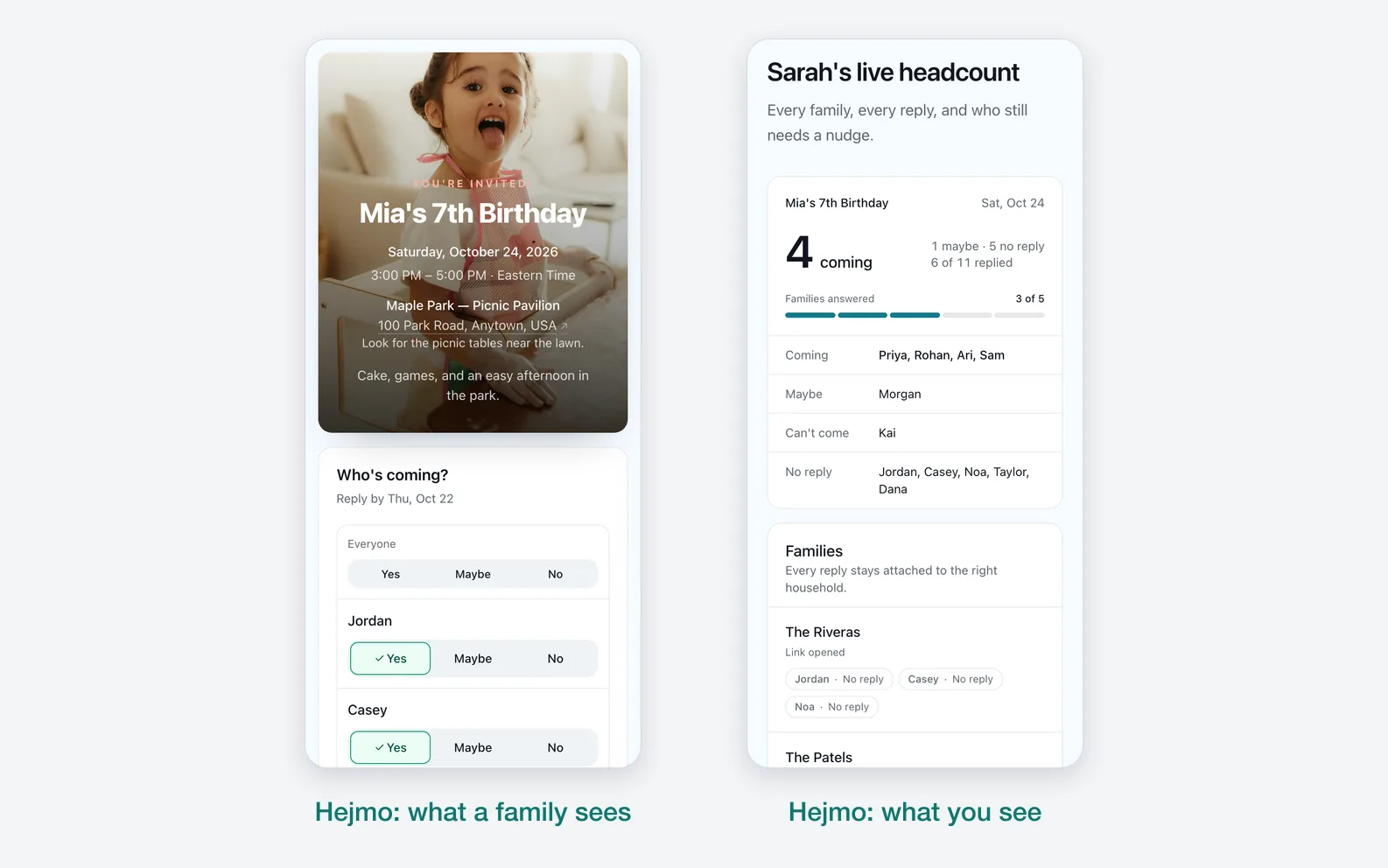
An RSVP link should open the invitation, collect the response, and give the host a live headcount. The best version is private, mobile-friendly, and easy to share.
By Hejmo7 min read
Short answer
- What it is
- A URL guests open to see event details and reply.
- The best ones
- Work on phones, collect Yes, No, or Maybe, and feed a live headcount.
- Known guest list
- Send one link per family or group.
What is an RSVP link?
An RSVP link is the online version of the reply card. Instead of mailing a card back or texting the host, your guest opens the link, reads the event details, and answers right there.
A weak RSVP link is just a form. A strong one is the invite page, the response flow, and the confirmation in a single place.
- Guests can open it from a text, email, iMessage, WhatsApp, or group chat.
- The page should show the event name, date, time, place, and host note.
- The RSVP action should be obvious on mobile.
- The host shouldn't have to add up responses by hand.
How to create an RSVP link
Keep setup short. Making the link shouldn't take much longer than writing the text you'll send it in.
- Create the event page with the date, time, location, and host note.
- Add the guests, families, or groups you're inviting.
- Get a separate RSVP link for each family or group.
- Paste the link into the text, email, or chat where you already talk to that guest.
- Watch responses roll into a host dashboard instead of a manual list.
One shared link or private RSVP links?
One shared RSVP link is easy to send, but the answers get messy. Anyone with the link can reply, someone can answer for the wrong people, and you may not know which family a response belongs to.
Private links work better for known guest lists. Each family or group gets its own link, so the response is tied to the right people from the start.
- Use one shared link for open events, public signups, or casual interest forms.
- Use private links for kids' birthdays, family reunions, school events, dinners, and invite-only gatherings.
- Use a per-group link when one person needs to answer for multiple people.
- Replace a private link if it gets forwarded too widely.
Make the link look like an invitation
A good RSVP link can show the event name and an image in chat instead of a bare URL, so guests recognize it before they tap. Support varies by app, so keep the key details on the page itself too.
Many apps build that preview from the page behind a pasted link. The Open Graph protocol defines basic metadata like title, type, image, and URL that platforms can use for it.
Apple's Link Presentation framework also describes rich link metadata for displaying URLs more clearly in apps.
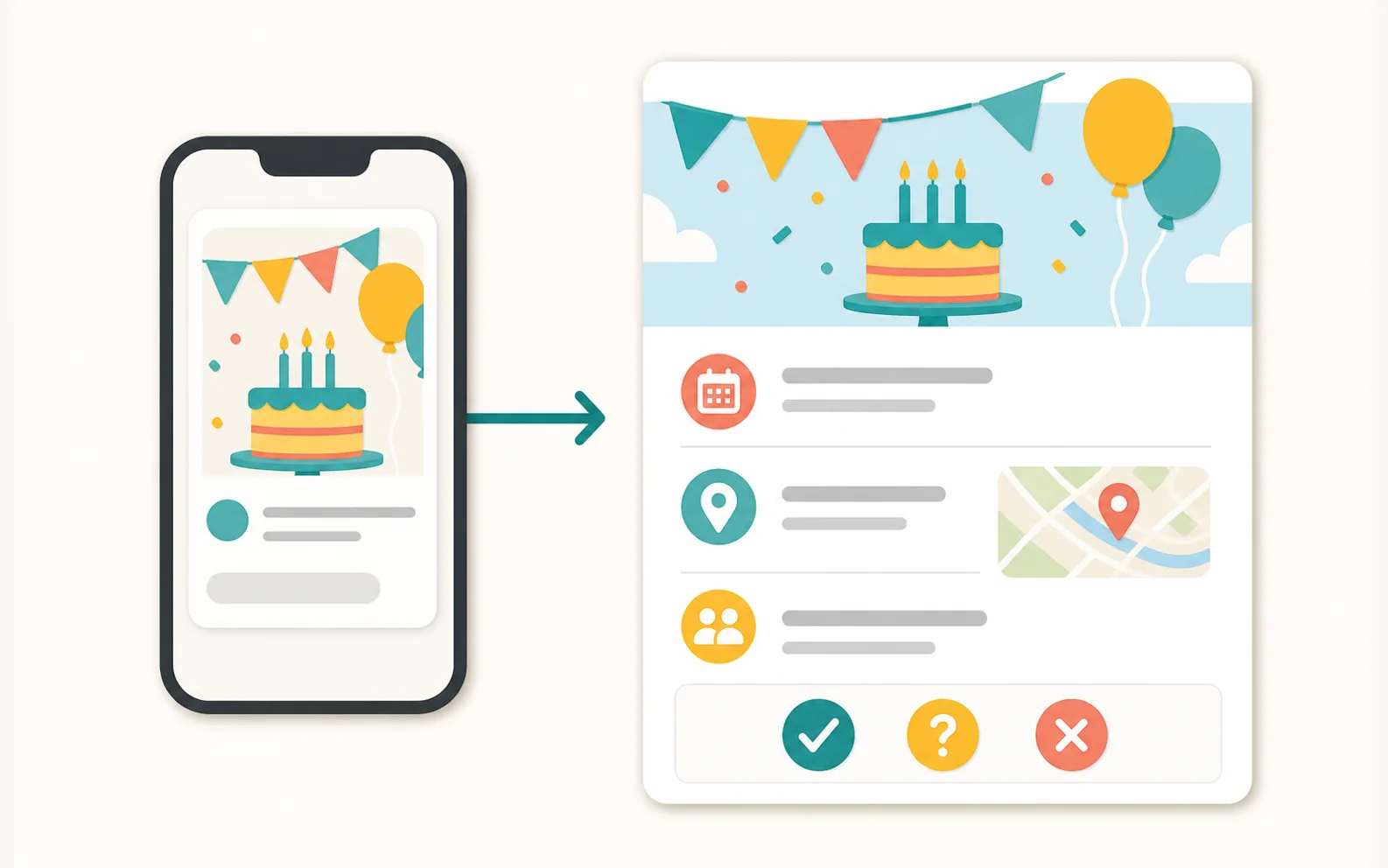
- Use a clear event title.
- Use a preview image that matches the event.
- Keep the description short enough to scan.
- Don't change the link after you've shared it unless the old one keeps working.
What every RSVP link should include
Guests answer faster when the link has every detail they need. Don't make them switch back to the original text to understand the event.
- Event title and host name.
- Date, start time, end time, and timezone if needed.
- Location with map access.
- Who is invited in that link.
- Yes, No, and Maybe responses.
- One optional note field for allergies, timing, or context.
- A confirmation with add-to-calendar and map links.
How Hejmo handles RSVP links
Hejmo creates a private invite link for each family or group. A group can be one person, a couple, a household, or anyone who should answer together.
- Guests open their link, see only their own group, and answer in two taps with no account and no phone verification.
- Every event also has one shared link you can post in a class or family chat; anyone who opens it adds their own name.
- As replies come in, your headcount fills in live.
- Hejmo writes a ready-to-send nudge for anyone who hasn't answered.
- If a link gets forwarded too far, tap “Replace invite link” for that group. The old link stops working right away, every other group keeps theirs, and that group's earlier replies stay put.
Sources checked (3)Official help and pricing pages, read before writing.
- Open Graph protocol · Verified basic metadata fields used by platforms for share previews.
- Apple Link Presentation documentation · Verified Apple's framework for retrieving and presenting rich metadata from URLs.
- Google structured data guidelines · Used to keep structured data claims careful and avoid promising rich-result display.
Questions
What is an RSVP link?
An RSVP link is a URL guests open to see event details and say whether they're coming.
Can I make an RSVP link for free?
Yes. Hejmo is free for unlimited events, including private RSVP links and reply tracking, with no ads. Plus is optional: $12 for one event adds invitation styles, illustrated covers or your own cover photo, a custom link, a custom RSVP confirmation, and up to five RSVP questions.
Should I use one RSVP link for everyone?
Use one shared link for open events. For private events with a known guest list, use one link per family or group so replies stay accurate and private.
Do guests need an account to use a Hejmo RSVP link?
No. Guests open the link and answer in two taps without an account, app, or phone verification.
What if my RSVP link gets shared too widely?
Replace it. In Hejmo, tap “Replace invite link” for that family or group. The old link stops working right away, the group keeps its earlier replies, and no other group is affected.
Create private RSVP links in minutes
Add your families or groups, share each private link, and watch a live headcount fill in as guests reply. No guest accounts, no phone verification.
Free · No ads · No guest accounts