Canva invitation alternative with a guest list built in
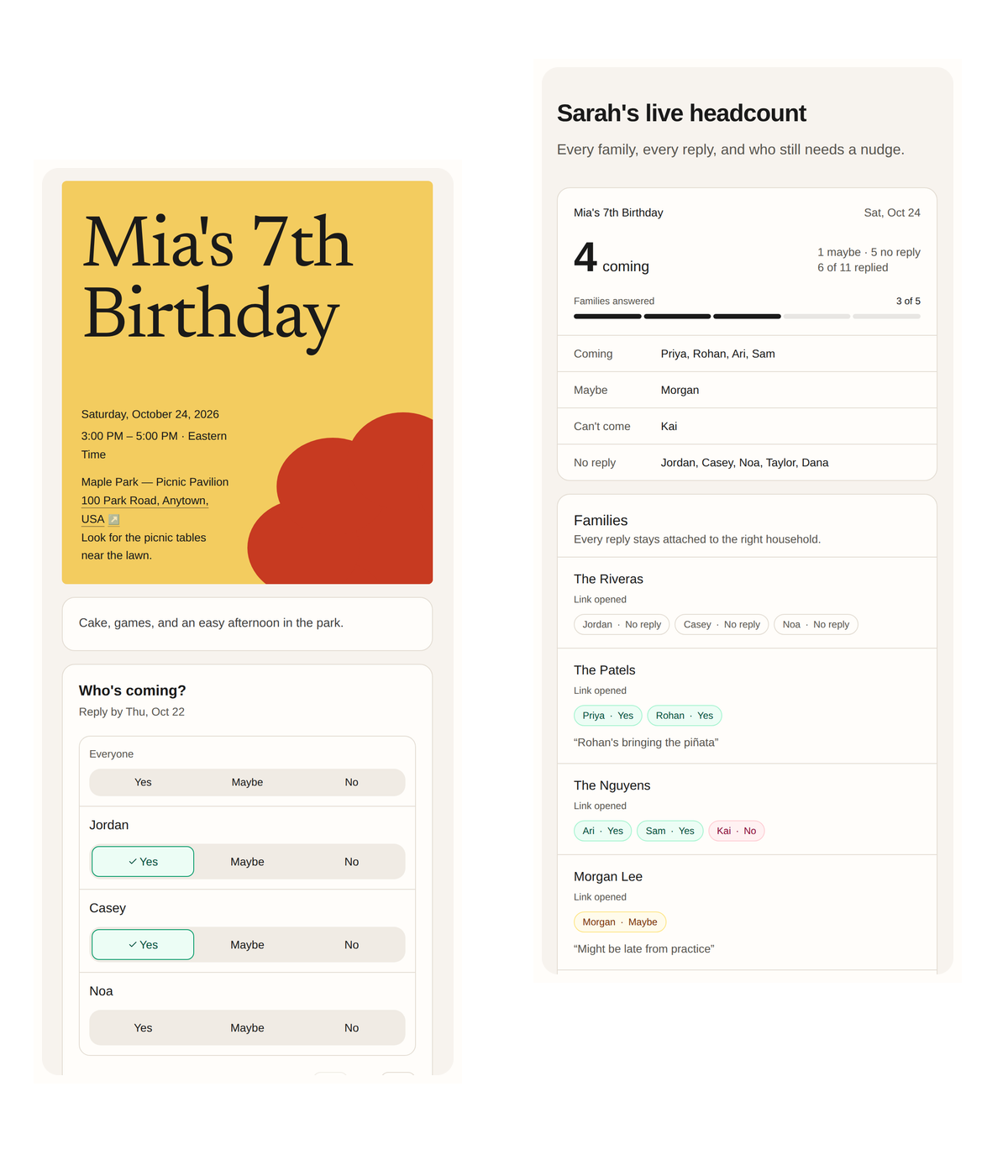
Hejmo is the invite guests reply to: a private link per family and a live headcount. On Plus, use its invitation styles or your Canva design as the cover.
Free · No ads · No guest accounts
Hejmo, Canva, or both?
- Hejmo
- Knowing who's coming: a guest list, family RSVPs, and a live headcount.
- Canva
- Designing the card itself.
- Both
- Make the card in Canva and upload it as the cover of a Plus event.
Hejmo
Design the card in Canva if you like. Hejmo is the invite guests reply to: a private link per family, a yes, no, or maybe for each person, and a live headcount.
Best for
- Tracking who's coming, family by family
- Guests who reply from a link in a chat
- Using your Canva design as the invite's cover
Consider other tools for
- Designing a card from scratch
- Printed invitations
- Full websites with many pages
Canva
Canva is great for designing the card itself, with more than a million free templates. Canva Forms can collect simple replies on a Canva website, up to 10 questions per form, with responses in a spreadsheet.
Strengths
- Flexible design tool
- Huge free template library
- Free websites with simple forms
Tradeoffs
- Forms collect replies in a spreadsheet, not a guest list
- Replies on a Canva website are anonymous unless you add a name question
- A downloaded image or PDF can't collect replies
Feature comparison
| Feature | Hejmo | Canva |
|---|---|---|
| Family and household RSVPs | Yes | Build it yourself |
| Guest list with a live headcountCanva Forms send replies to a spreadsheet. | Yes | No |
| Guests RSVP without an account or verification code | Yes | Yes |
| Co-hosts | Yes | Shared editing |
Canva details checked against official sources on October 17, 2026. Features and prices change, so check before you choose. Sources: Canva Forms, Forms launch, Free websites, Pricing.
Questions
Does Canva have RSVPs?
Only basic ones. Canva Forms collect replies, with up to 10 questions per form, on a design shared by Canva link, such as a free Canva website. Replies land in a spreadsheet with no guest list or family grouping, and forms in a downloaded image or PDF don't collect anything.
Can I import a Canva design?
Yes, as the cover photo on a Plus event. Export your design as a JPG or PNG and upload it as the cover. Hejmo handles the private links, RSVPs, and chat preview.
Why use Hejmo with Canva?
Design the look in Canva, then use Hejmo for the invite guests open, their RSVPs, and your headcount.
How are chat previews created?
Hejmo builds the chat preview from your event title, date, and cover. On Plus events, it uses your invitation style and cover photo.
Set up your event in two minutes
One private link per family, no guest accounts, no ads. Free for unlimited events.
Free · No ads · No guest accounts